Accurate Shopify conversion tracking for every channel
Littledata sends every purchase, refund, subscription, and checkout event server-side to GA4, Google Ads, Meta, and Klaviyo - so your marketing decisions start from revenue you can trust
The direct answer
What does accurate Shopify conversion tracking involve?
Accurate Shopify conversion tracking sends every purchase, refund, subscription, and checkout event from Shopify's servers directly to your analytics and ad platforms, regardless of what happens in the shopper's browser.
- Server-side events - conversions fire from Shopify's order system, unaffected by ad blockers or browser privacy settings.
- Attribution included - every order is stitched back to the marketing channel that drove it.
- The full funnel - product views, add to cart, each checkout step, purchases, refunds, and subscriptions.
- No-code setup - Littledata automates it all for Shopify and Shopify Plus stores in about 10 minutes, with no Google Tag Manager required.
Trusted by 2000+ Shopify brands to drive growth



The problem
Why built-in Shopify tracking is incomplete
Shopify's default tracking - including the native Google & YouTube app - relies on the shopper's browser to fire most conversion events. That leaves three gaps no tag configuration can close:
- Browser interruptions - ad blockers, Safari's tracking prevention, and shoppers closing the tab early all stop conversion events from firing.
- Broken attribution - purchases that do fire often aren't stitched to the session that drove them, so revenue piles up under Direct and Unassigned.
- Incomplete funnel data - add to cart and checkout steps depend on the browser, so you can't see where shoppers drop off.
The consequence: ad platforms optimize on the conversions they can see, not the ones that happened - so ROAS, A/B tests, and bid strategies all rest on a partial view.
Littledata vs native Shopify tracking
How the Google & YouTube app and Littledata each capture the conversion events that matter.
| Tracking event | Littledata | Google & YouTube app |
|---|---|---|
| Purchases | Server-side | Server-side |
| Refunds | Server-side |  |
| Subscriptions & recurring orders | Server-side | |
| Checkout steps (begin, shipping, payment) | Server-side | Browser only |
| Add to cart | Server-side | Browser only |
| Product list views and clicks | Server-side | Partial, browser only |
| Attribution stitched to campaign (Session Enrichment) | ✔️ | |
| Other sales channels (POS, TikTok Shop) | ✔️ | |
| Custom events from Shopify apps (Event Editor) | ✔️ | |
| See the full GA4 comparison |
One connection for every marketing channel
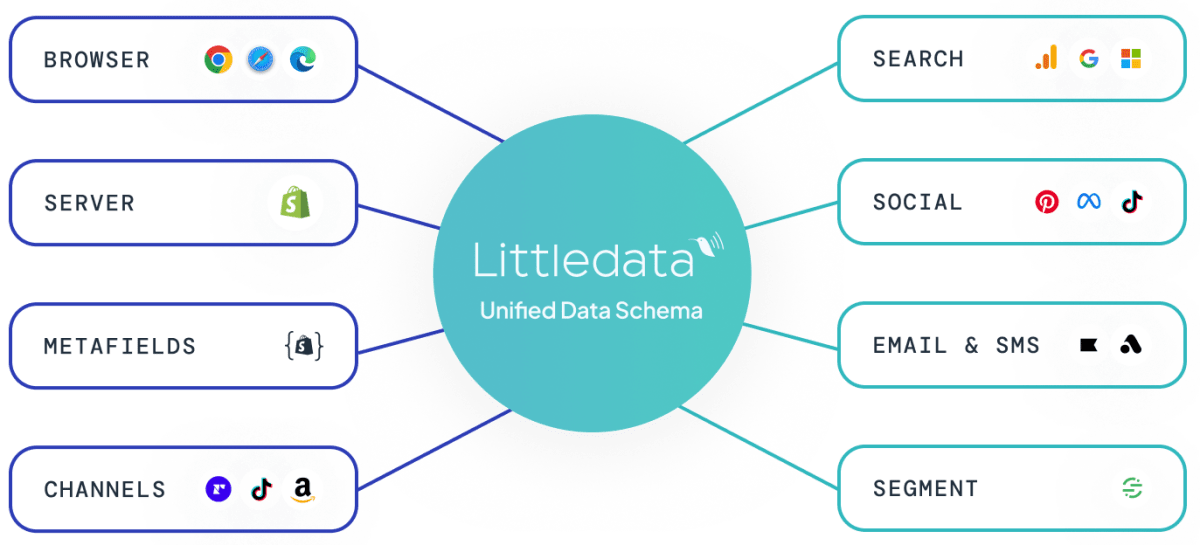
Littledata captures each Shopify event once, then delivers the same accurate data to every destination - GA4, Google Ads, Meta, Klaviyo, TikTok, Pinterest, and Segment - through each platform's own API. No separate pixels to maintain, and adding a channel never means rebuilding your tracking.
 Google Analytics
 Google Ads
 Meta Ads
 Klaviyo
 TikTok
 Segment

Session Enrichment
Fixing attribution, not just tracking
Capturing the purchase server-side is only half the job. If the order isn't connected to the session that drove it, GA4 still credits the revenue to Direct.
- Session Enrichment - stitches every server-side order back to its true marketing source, reducing Direct and Unassigned in GA4.
- Attribution Boost - carries first-order attribution onto recurring orders, so you see the true lifetime value of each acquisition channel, not just the first purchase.
- Better ad optimization - the same verified purchase data powers server-side Enhanced Conversions for Smart Bidding in Google Ads and strong match rates through the Meta Conversions API.
Go beyond event tracking
Accurate events are the foundation. Littledata then adds the context native tracking can't:
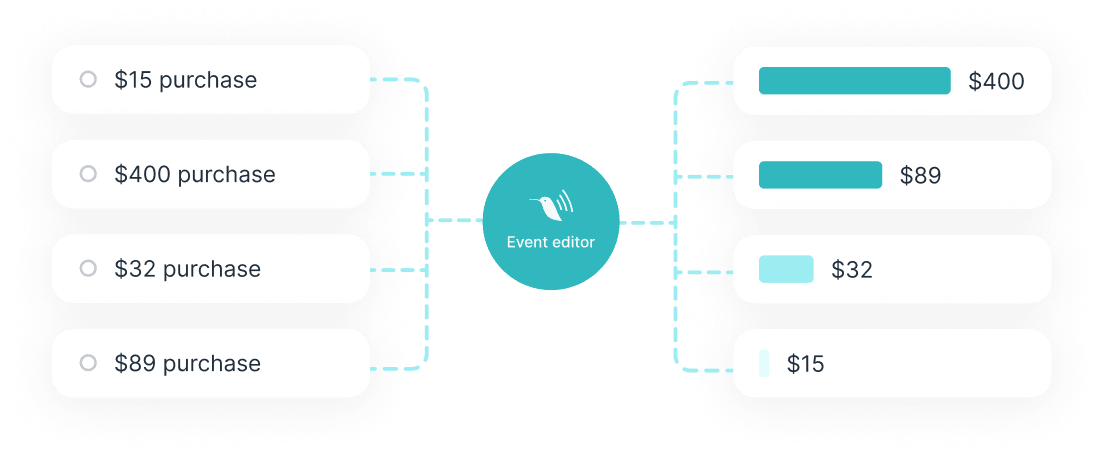
- Event Editor - build custom events from your Shopify apps and metafields, with no code. Loyalty tiers, subscription status, and product attributes become usable dimensions.
- Profit Signal - report net revenue alongside order value, so you can optimize ads on margin, not just volume.
- Persistent ID - reconnect returning shoppers to their known profile after cookies expire, for new-vs-returning numbers you can trust.
How to set up Shopify conversion tracking
Install the app
Add Littledata from the Shopify App Store - no code and no developer needed. The app configures server-side tracking automatically.
Connect your channels
Select GA4, Google Ads, Meta, Klaviyo, or any other destination. Littledata generates the required credentials and handles the API connections.
Verify your events
Use the live order feed to confirm purchases, refunds, and checkout events are flowing, and compare GA4 revenue against Shopify orders.
Turn on optional features
Enable Session Enrichment to fix attribution, Profit Signal to report net revenue, and Persistent ID to reconnect returning shoppers after cookies expire.
Add custom events
Use the Event Editor to attach loyalty tiers, subscription status, or product metafields to your events - no code required.
How long does setup take? Most brands have server-side conversion tracking live within about 10 minutes of installing the app. Littledata Plus plans include managed onboarding with a Google Analytics expert if you want a guided setup or an audit of your existing tracking. Compare plans
What brands achieve with accurate conversion tracking
50%
lower Google Ads CPA for Soda Sense after switching to server-side Enhanced Conversions
6x
abandoned checkout flow revenue for Wildgrain with complete checkout events in Klaviyo
+205%
Checkout Started event capture for Future Kind in a multi-provider comparison







What Shopify brands say about Littledata
The app is amazing! Their price - value ratio is incredible good, installation is so easy which is what got my attention to begin with. Also I can confirm my EMQ has increased considerably since installing the app, they also have their own bot filtering feature in-app, AND their customer support could not be any better they respond super fast the same day via live-chat, something very rare nowadays, I can recommend 10/10 lets go!
Littledata – The Data Layer is one of those apps you install and immediately wonder how you ever debugged Shopify tracking without it. Setup is straightforward, and once it’s running you get a clear, reliable data layer that makes analytics tooling behave the way it should. It’s especially strong for getting consistent ecommerce events through to GA4 and other platforms without the usual Shopify “mystery gaps,” duplicated events, or attribution weirdness. Having a single source of truth for customer and purchase activity (that you can actually trust) saves a ton of time compared to patching together pixels, scripts, and half-working workarounds. What I like most is the stability: the events are well-structured, implementation feels thoughtful, and it reduces ongoing maintenance rather than adding another moving part. Support has also been very responsive and practical. If you care about accurate conversion tracking, clean event data, and less time spent chasing discrepancies between Shopify and your analytics tools, this is an easy recommendation.
Littledata made it easy to get accurate conversion tracking across our Shopify store and marketing channels. It fixed issues we faced with iOS 14+, cookie restrictions, and ad blockers. Super reliable and easy to set up. Highly recommend for any store running serious campaigns!
Go deeper
Explore every connection and feature
Setup guides and feature deep-dives for accurate Shopify conversion tracking.