Measure and optimize ChatGPT ads on real Shopify orders
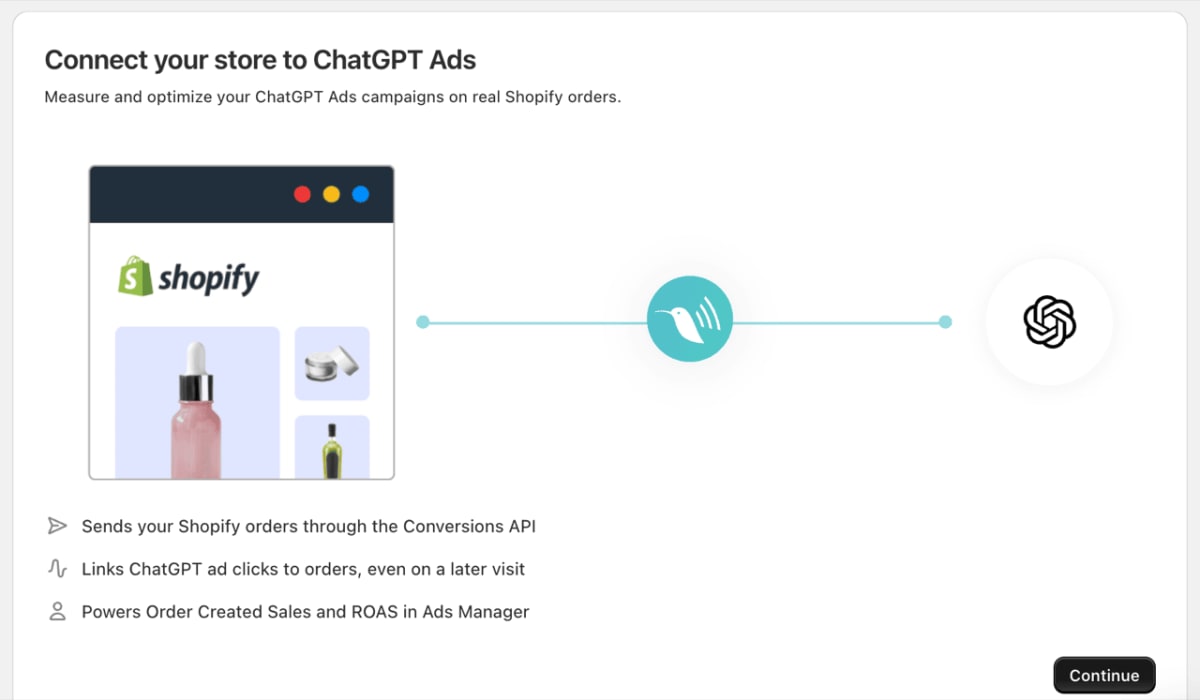
Littledata sends your Shopify orders, carts and checkouts to OpenAI Ads through the Conversions API, and adds the OpenAI Measurement Pixel to your store for you. No code required.

Conversions API
Give ChatGPT ads a server-side purchase signal
OpenAI Ads can only report and optimize on the conversions it receives. Littledata sends every Shopify order from Shopify's servers, so the purchase signal doesn't get lost.
- Shopify is the source of truth. Order Created uses the order total with tax and shipping, plus post-purchase upsells.
- Accurate orders in Ads Manager. See Order Created Sales and ROAS for your ChatGPT campaigns.
- Purchases as your campaign goal. Conversion-optimized campaigns can use Shopify purchases as their goal, not page views.
Why use Littledata alongside OpenAI's ChatGPT Ads app?
OpenAI's app connects your catalog to ChatGPT ads. Littledata makes the purchase data behind your ROAS more complete.
OpenAI's ChatGPT Ads app
Product feed sync
Syncs your Shopify catalog to ChatGPT ads. Keep it installed.
Purchases from checkout events
Purchases are reported from Shopify's checkout events, at the checkout total.
Click reference only
Its browser pixel sends the ChatGPT ad click reference, without hashed customer details.
Single channel
Tracking for ChatGPT ads only.
With Littledata
No product feed
Littledata doesn't sync your catalog. It handles conversion measurement.
Purchases from Shopify orders
Each purchase is built from the Shopify order and sent server-side, including post-purchase upsells and draft orders.
Richer customer matching
Hashed email and phone, IP address, user agent and the ad click reference travel with each purchase.
One data layer
The same Shopify data feeds Google Ads, Meta, TikTok, GA4 and Klaviyo.
Attribution and matching
Connect Shopify orders back to the ChatGPT ads that drove them
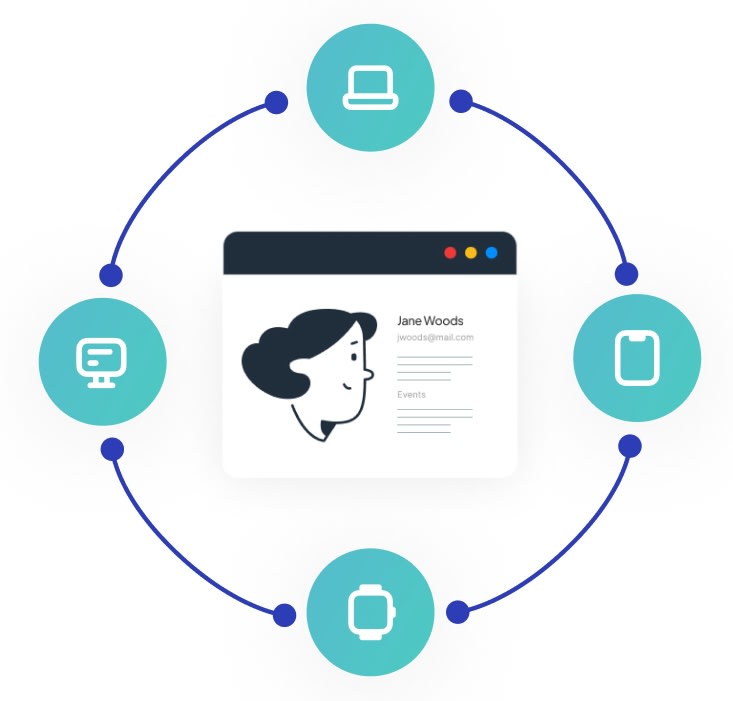
Shoppers rarely buy the moment they click an ad. Littledata captures the OpenAI click reference (oppref) from a ChatGPT ad and keeps it for up to 30 days, so a purchase on a later visit still carries it.
- Click reference on every order. The oppref from the ad click is sent with the order, even when the purchase happens on a later visit.
- Hashed customer details. Email, phone, name and customer ID are included to help OpenAI match orders to shoppers.
- Browser context from the server. IP address and user agent from the shopper's session are sent with server-side events.
Full funnel
Full-funnel signals for ChatGPT ads
Stage 1 · Browsing
See which ads bring shoppers in
Page and product views reach OpenAI Ads through the OpenAI Measurement Pixel, which Littledata adds to your store.
Stage 2 · In the cart
Every step linked back to the ad
Add to cart and checkout are sent server-side and tied to the ChatGPT ad click, so you can see where shoppers drop off.
Stage 3 · At purchase
ROAS based on accurate revenue
Each online order reaches OpenAI Ads with its full value, including tax, shipping and post-purchase upsells, so your ROAS reflects what shoppers actually paid.
The data layer
One Shopify data layer for every ad platform
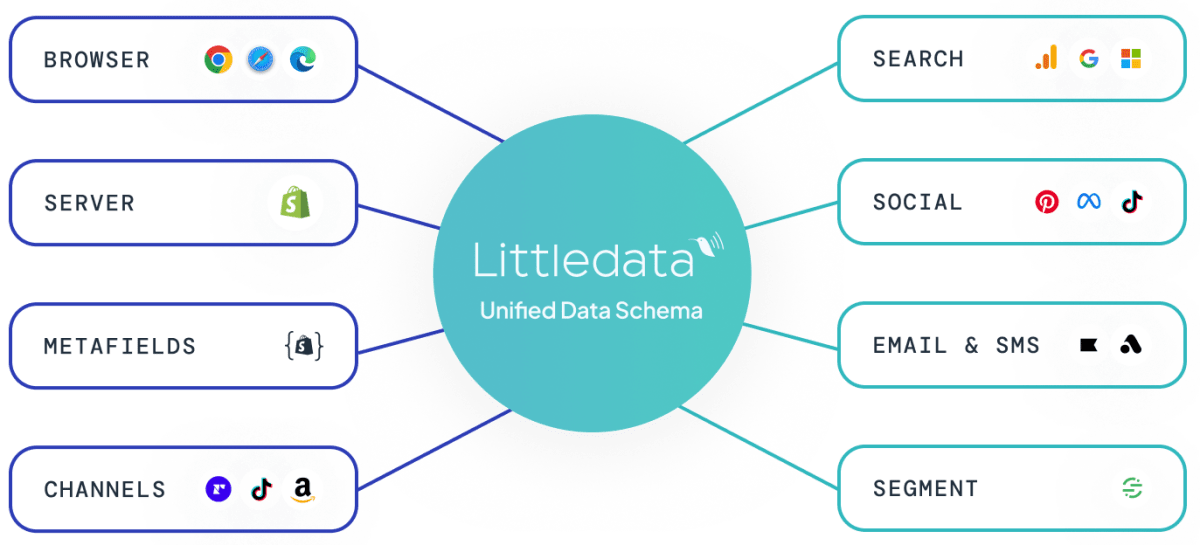
Littledata already captures Shopify events server-side and sends them to Google Ads, Meta, TikTok, Microsoft Ads, Pinterest, GA4 and Klaviyo. OpenAI Ads is one more destination on the same connection, so you don't build and maintain a separate tracking setup for each platform.
- Always current. Aligns automatically with Shopify's release cycle.
- No workarounds. Removes the dependency on manual tag patches.
- No maintenance. Requires no engineering or GTM upkeep.
How to connect Shopify to OpenAI Ads
Create a data source in Ads Manager
Under Tools, open Conversions, create a new web data source for Littledata and copy its Pixel ID. Then create a Conversions API key.
Connect in Littledata
Click Add destination, choose OpenAI Ads, keep the recommended best practices and paste in your Pixel ID and Conversions API key.
Attach a conversion event
In Ads Manager, create an Order Created conversion event that uses your Littledata data source and attach it to your campaigns. Conversions show within 24 to 48 hours.
Resources & activation
Get started with OpenAI Ads
Guides for setting up and measuring your ChatGPT ad campaigns.
What Shopify brands say about Littledata
It worked perfectly, Claudiu's support clarified our doubts, the conversion attributions are 100% correct now, we recommend littledata!
We've been using Littledata for just over a month now and it's brought back around 30% of the data we lost with our cookie policy and GA4 updates. We've been super happy with the data so far and we would definitely recommend it as a good plug in solution!
Regardless your marketing budget size, you will have much better results using server-side tracking. And with Littledata, you skip the 99 mind boggling steps of setting this up correctly for ecommerce. It just works. Support and knowledge centre is great. Highly recommend.